Welcomes every conversation
The AI opens, introduces itself, and starts working out what the customer needs, on WhatsApp, Instagram, Messenger, web chat, or email.



 Front DeskThe agentic inbox that greets, qualifies, and escalates.
 AgentsContact records built from the conversation itself.
 AI CopilotAn AI assistant beside your team across the platform.
 AI AnalysisEvery conversation read for you, beside the thread.
 Fellix AppYour whole front desk, in your pocket.LivechatWhere your agents take over and close the conversation.
 AppointmentsBooking that happens inside the chat, from your calendar.
 Help CenterWhere your customers and your agent find all the answers they need
 Meta Ads & CampaignsAd-driven leads in, WhatsApp campaigns out.
 PipelineContact records built from the conversation itself.
 AnalyticsConversations, campaign attribution, and pipeline health.
 Team ManagementTeams that own channels, with roles per member.
 Retail & TechnologyAnswer the question that decides the sale.
 EducationEvery admissions question, answered instantly.
 Travel & hospitalityAvailability and check-in, at every hour.
 ClinicsTurn ad clicks into tracked, qualified leads.
 HealthcareSessions, tests and home visits, booked in the chat.
 Real EstateSee how Fellix is tuned to your industry.
 MCP serverWork in Fellix from Claude, ChatGPT or Cursor.
 BlogPractical thinking on AI customer conversations.
 CompanyWho we are and why we built Fellix.
 BrandLogos, colour, and type for press and partners.
 TermsThe agreement that governs your use of Fellix.
 SupportChat with the team, email us, or get help with billing.
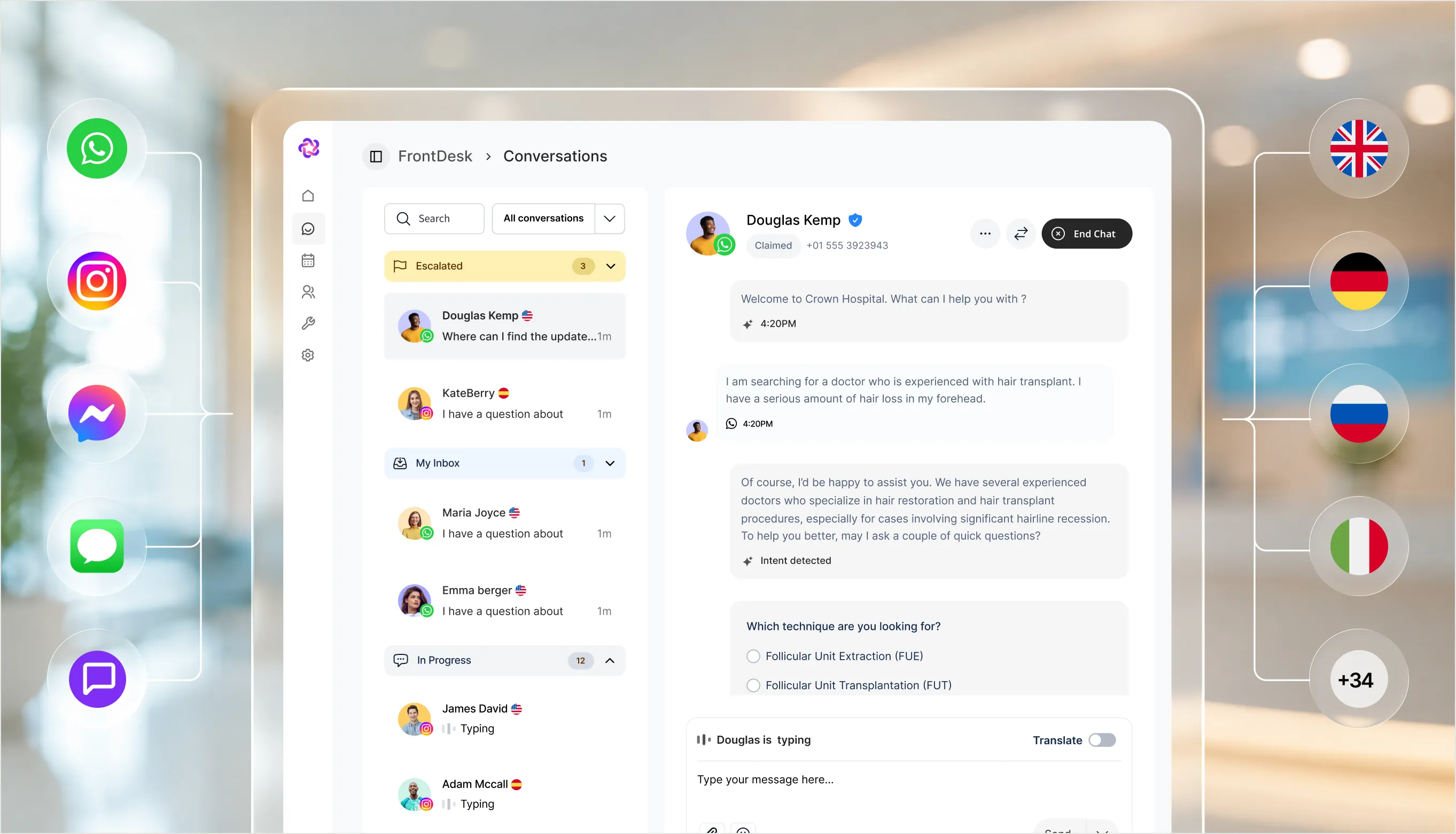
Fellix greets every customer, collects their name, email, and phone, works out what they actually need, then escalates to the right human agent with the whole conversation attached.
Connect your web chat & social account in under 3 minutes.
What it does
The AI opens the conversation, decides what to ask next from what the customer said, and only involves a person when the conversation genuinely needs one.
The AI opens, introduces itself, and starts working out what the customer needs, on WhatsApp, Instagram, Messenger, web chat, or email.
Name, email, and phone are gathered naturally in conversation, so nobody fills in a form or repeats themselves later.
Your AI agent handles the first reply. When a conversation needs a person it routes with intent, history, and contact details already attached.
In the product
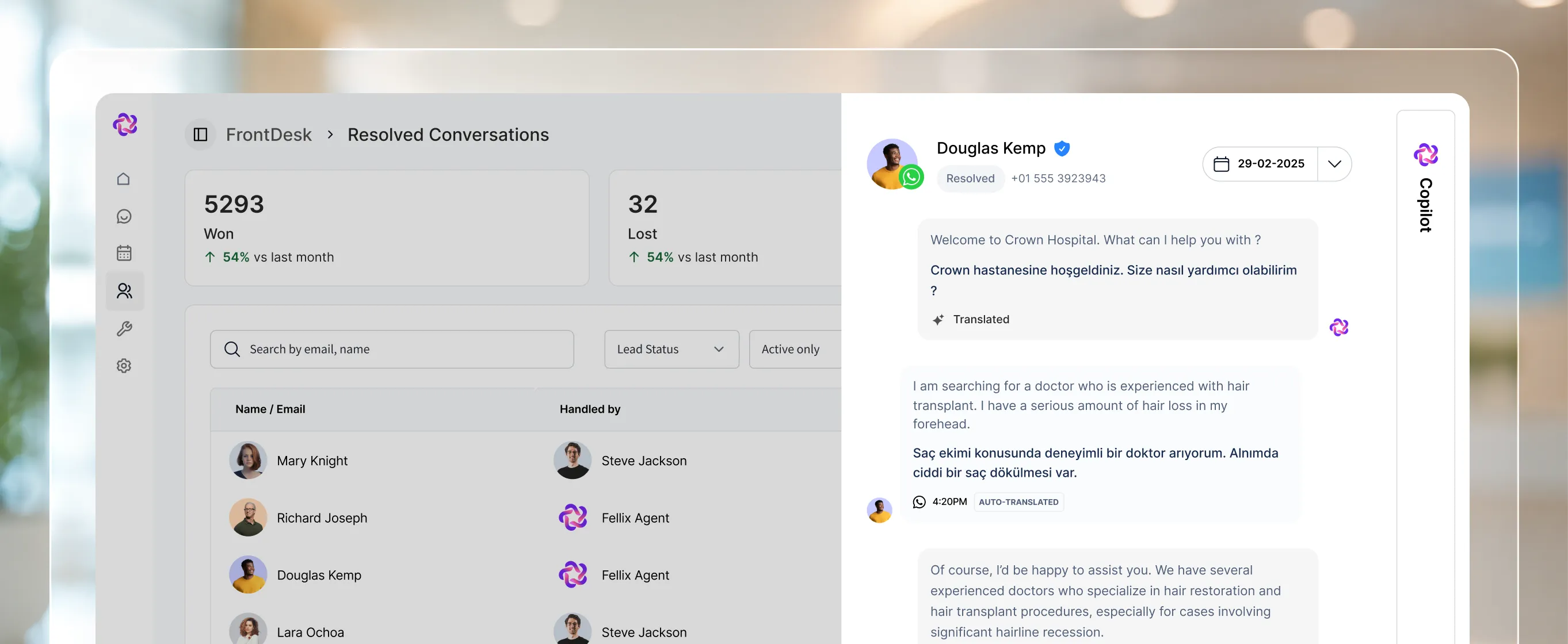
Open conversations carry an unread count, resolved and abandoned stay in their own views rather than getting buried, and WhatsApp calls sit alongside messages.
Unread counts on open conversations, with resolved and abandoned split out so the backlog stays honest.
Assign teams to specific numbers and channels, so a WhatsApp lead and an Instagram support question reach different people automatically.
Tag conversations Won, Lost, Follow-up, or VIP, and the same tags show up in your analytics without extra setup.
Where it pays off
P / 1
The AI answers the moment a message arrives, at any hour and on any channel, and keeps the conversation moving while your team is asleep or busy.
P / 2
Name, email, phone, and intent are captured once and travel with the conversation, so the customer never repeats themselves and the agent never re-asks.
P / 3
Abandoned conversations are tracked as their own view and their own metric, so you can see where people give up rather than guessing.
Stack comparison
Integrations
Fellix reads and writes to your CRM, storefront, calendar and helpdesk — so every conversation starts with real customer context, and every outcome lands back in the stack your team already works in.





Built to work together
Every conversation read for you: the client, one summary, the steps taken and the outcome.
Learn more